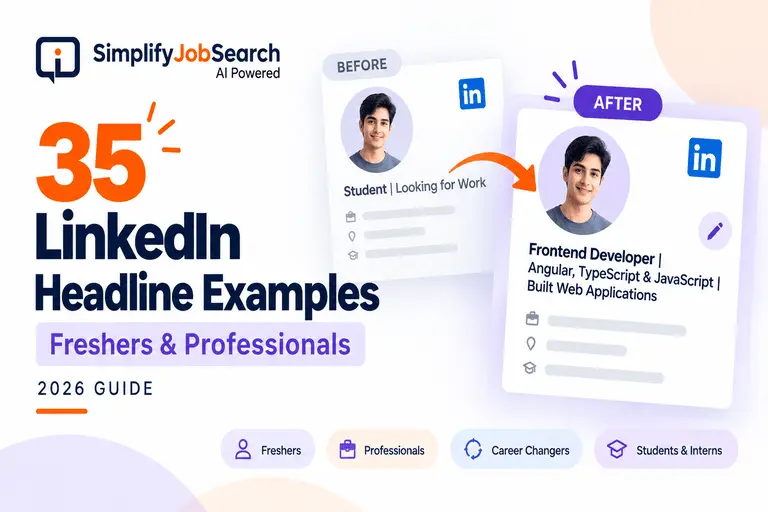
You open LinkedIn, look at your profile and realise something.
Your headline still says “Student at XYZ College” or maybe just “Software Engineer”.
You know you’ve learned new skills. You’ve done projects, internships or spent years gaining experience. But your Linkedin headline says very little about that.
And changing it isn’t as simple as it sounds.
What do you write about? Is it necessary to list your skills? Does “Open to Work” suffice?
If you’re struggling with these questions, these LinkedIn headline examples will help you get started.
We have designed 35 samples for freshers, students, working professionals and career changers.
don’t have to copy them word for word Choose one that fits your situation and change the details to make it sound like you.
What is a LinkedIn headline and why it matters?
The headline is the short bit of text that is right under your name on LinkedIn.
It also shows when people land on your profile from LinkedIn search results.
Imagine a recruiter searching for a frontend developer.
They found two profiles.
Says one:
B.Tech Graduate | Seeking Opportunities
The other states:
Frontend Developer | Angular, TypeScript & JavaScript | Build Web Applications
Which one is better to understand what the person can do?
The second one is more telling right off the bat.
That doesn’t mean the first candidate is less qualified. The skills just aren’t coming across in their profile.
A strong headline can give someone a sense of your career direction, before they read the rest of your profile.
It won’t promise recruiter messages or interview calls. But it provides a clearer introduction to your profile.
How to Write a Good LinkedIn Headline in 2026
You don’t need a complex formula.
It begins with three simple questions:
- What role do I have / What role I am working for?
- What skills are most relevant to that role?
- What experience, project or strength can back up what I’m saying?
Here’s a handy structure:
Your Job + Relevant Skills + Experience or Area of Expertise
For example:
Backend Developer | Node.js, Express & MongoDB | Creating REST APIs
If you are fresher, you can mention your projects or internship instead of full time experience.
If you are already employed, your headline can be about the type of work you do, not just your job title.
If you’re switching careers, highlight the skills that bridge your past experience to the next role you want.
You don’t have to use every character available to you in your headline. Short and clear is usually easier to read.
10 Examples of LinkedIn Headline for Freshers
Most of the examples on the web seem to be written for people who have been doing this for years, so starting out is hard.
But you don’t need to lie about working somewhere you don’t.
It is worth mentioning your projects, coursework and practical skills.
Here are 10 examples of LinkedIn headlines for freshers in different fields.
- Frontend Developer (Fresher) | Angular, TypeScript & JavaScript | Created Responsive Web Applications
- Aspiring Backend Developer | NodeJs & Express & MongoDb | Rest API Projects
- Data Analyst Fresher | Excel, SQL & Power BI | Sales Dashboard Project
- B.Com Graduate | Seeking Entry-Level Positions in Finance | Accounting, Excel & Tally
- HR Intern Experience | Recruitment & Employee Engagement | Graduate HR MBA
- Graduate in Mechanical Engineering | AutoCad & Solidworks | CAD Design Projects
- Digital Marketing Freshers | SEO, Content Writing & Google Analytics | Blog Projects
- Customer Support Fresher | Communication & Problem Solving | Customer Service Internship
- Junior Graphic Designer | Canva, Photoshop & Figma | Branding & Social Media Design
- Cybersecurity | Networking, Linux & Security Fundamentals | Hands-On Lab Projects – Freshers
See anything?
None of these headlines requires the words “hardworking,” “passionate” or “highly motivated.”
Those attributes may apply to you, but they don’t tell someone what kind of work you are looking for.
Clarity is more important than sounding experienced, especially for freshers.
Check out our guide, LinkedIn Profile Optimisation for Job Search, if you need more tips for the rest of your profile.
10 Examples of LinkedIn Headlines for Working Professionals
Or, you’ve been doing it for three or four years, but your headline is the same as when you got your first job.”
It does occur.
You get caught up in work, you learn new things, you take on new responsibilities. Updating LinkedIn keeps falling down your to-do list.
The good news is that you don’t have to put together your entire career story in one line.
Here are ten examples of professional headlines for LinkedIn:
- Software Engineer | Java, Spring Boot & Microservices | Back-end Application Development
- Cloud Engineer | AWS, Docker & Kubernetes | Cloud Automation & Infrastructure
- Product Manager | Product Strategy, Roadmaps & User Research | Creating Better Product Experiences
- HR Executive | Talent Acquisition, Employee Relations & Onboarding
- Digital Marketing Specialist | SEO, Google Ads & Content Strategy | Organic & Paid Campaigns
- Financial Analyst | Budgeting, Forecasting & Financial Reporting | Power BI & Excel
- QA Engineer | Manual & Automation Testing | Selenium, API Testing & Bug Tracking
- Sales Manager | B2B Sales, Client Relationships and Business Development
- UI/UX Designer | Figma, Wireframing & User Research | Simplifying Digital Experiences
- Operations Manager | Delivery, Team Management & Process Optimisation
You may have noticed that some of the examples contain tools and some contain responsibilities.
That’s on purpose.
Mentioning technologies can be a plus for a developer. Someone in sales may be better at communicating strengths via the kind of customers and business they deal with.
“Use the words that actually describe your work, not the words that sound nice.”
5 LinkedIn headline ideas for career changers
Changing careers is exciting, but it can be awkward to explain the change.
Say you’ve been in customer support for four years and just started getting into data analysis.
“Your experience doesn’t disappear. You just have to plug it into where you’re headed next.
Here are 5 examples.
- Customer Support Specialist Transitioning to Data Analytics | Excel, SQL & Reporting Projects
- Teacher Looking for Learning & Development Positions | Training, Communication & Content Design
- Retail Operations Professional Moving to Customer Success | Client Support & Relationship Management
- Mechanical Engineer | Transitioning to Business Analysis | Process Improvement, Excel & Requirements Documentation
- Customer Service Pro | User Interviews, Feedback & Problem Solving | Delving into UX Research
The operative word here is transition.
You don’t have to be calling yourself a senior analyst when you just recently started learning analytics.
Just make sure you know which way you’re going.
And remember, those years in your last career were not a waste. They gave you experience that may still be useful in your new job.
5 Student and Intern LinkedIn Headline Examples
Maybe you’re still at college.
You’ve never interned anywhere. Your biggest project is something you did for a class assignment.
That’s perfectly fine.
In your headline, you can tell people what you’re learning, what you’re practicing and the opportunities you’re interested in.
- Computer Science Student | Python & Web Dev. | College Projects |
- UI/UX Design Student | Figma, Wireframes & App Design | Looking for Design Internships
- B.Com Student | Basics of Excel, Accounting & Finance | Looking for Finance Internships
- Journalism Student | Content Writing, Research & Social Media | Looking for Content Internships
- MBA Student | Marketing Research & Consumer Behaviour | Looking for Marketing Internships
Quick tip: If you mention a project in your headline, make sure that someone can click through to your Projects, Experience or Featured section and learn more about it.
Headline starts the conversation. Your profile should complete it.
5 LinkedIn headline samples for job seekers
When you’ve been applying for jobs and not getting many replies, it’s easy to think adding ‘Open to Work’ everywhere is the solution.
There is nothing wrong with saying you’re available.
But that information is more useful if you also tell them what you are looking for.
- Frontend Developer | JavaScript, CSS & React | Junior Developer Positions Needed
- Data Analyst | SQL, Power BI & Excel | Business Intelligence Roles Wanted
- HR Recruiter | IT Recruitment, Candidate Sourcing & Screening | Seeking Roles in Talent Acquisition
- Growth Marketing | SEO & Social Media Marketing | Digital Marketing Executive |
- Accounts Executive | Tally, GST & Excel | Seeking Opportunities in Accounting and Finance
Don’t add five random roles just because you are open to anything.
Pick the path that reflects your experience and the positions you really want.
Before and After: Headline Tweaks That Make a Difference
Sometimes you don’t need a brand new headline. You can make your existing one more specific by adding a few more specific words.
A freshman.
Previous: Fresh | Diligent | Job Searching
Junior Web Developer | HTML, CSS & JavaScript | Portfolio Projects Previous
Why It’s Better: The second version describes the type of job and skills the candidate can show.
Example 2: A seasoned professional
Before: Working in an IT Firm
Software Developer | Node.js & REST APIs | Backend Development
Why it’s better: Someone viewing the profile can get an idea of the person’s area of work, without having to guess.
Example 3: Changing Profession
Before: Searching for a New Career
Before: Excel & Process Documentation Customer Support Professional Moving into Business Analysis After
Why it’s better: It talks about the past experience and future direction.
These are sample SJS profile reports, not real examples.
It is not to get everyone to use the same format. It’s to help you tell your professional story better.
The most common LinkedIn headline mistakes
Before you change your headline, look for a few things.
- Too many buzzwords. “Visionary, passionate, dynamic professional” tells me nothing about what you actually do.
- Just saying your employment status as “Unemployed” or “Open to Work” doesn’t say what you do.
- Adding skills you haven’t learned: You could be drawing the wrong expectations.
- Trying to fit everything in The headline is not your entire resume.
- Too many unrelated job titles. It can be difficult to know what you want to do.
There’s no need to add the latest technology buzzword just because everyone else is talking about it.
LinkedIn should show who you are, not who you have created to impress recruiters.
How to Update Your LinkedIn Headline
Once you’re happy with your new headline, changing it is just a few clicks away.
- Open LinkedIn and navigate to your profile.
- In your introduction section select the edit icon.
- Locate the Headline field.
- Replace the current text with your revised headline.
- Save your changes and see how it appears on your profile.
You might also want to check out LinkedIn’s official guide on how to edit your professional headline.
Are you wondering if your LinkedIn headline is good?
You may come up with a headline that you think looks good and still wonder if it clearly represents what you went through.
You may have over-listed skills. Maybe your job title is ambiguous. Or maybe your headline hasn’t changed but your work has.
This is where a profile review can help.
The Simplify Job Search AI LinkedIn Profile Analysis checks your headline and other vital sections such as your About section, experience, projects and skills.
It includes a section-by-section assessment, recommended improvements and editable copy you can adapt to your own profile.
You can see what needs to be updated without guessing which part should be updated first.
That doesn’t guarantee a recruiter will find you, or give you an interview. But it makes it easier for you to clearly present your professional experience.
Review Your LinkedIn Profile With SJS
Frequently Asked Questions on LinkedIn Headlines
What is the best LinkedIn headline for freshers?
A good fresher headline includes your desired role, relevant skills and a project or internship if available. You don’t have to have full-time experience to explain what you’re learning.
Should I put “Open to Work” in my LinkedIn headline?
You can, particularly if you’re actively job hunting. But also try to include your target job title and relevant skills. “Open to Work” does not tell much about your professional background.
What’s the ideal length for a LinkedIn headline?
LinkedIn typically allows a professional headline of up to 220 characters. You don’t have to use them all. Keep it short enough to clearly communicate your role and strengths, and check how it looks on different screens.
Can students use LinkedIn without work experience?
Yes. Students can list their education, projects, technical skills and internship interests Include only true experience or accomplishments of your own.
Will changing my LinkedIn headline help me get more interviews?
A more clear headline can make your profile easier to understand, but changing your headline alone won’t get you interviews. Your skills, experience, location, overall profile and the jobs you apply to matter too.
One Last Thing Before You Change Your Headline
You look at someone else’s LinkedIn profile and you think yours isn’t good enough.
Maybe they have a long company name, years of experience or a list of achievements you haven’t got to yet.
But your headline is not competing against their entire career.
It just has to explain yours.
Start with the role you want to be known as. Add the skills you’ve really developed. Give people a reason to know what you’re capable of.
And as your career changes, so can your headline.
You don’t need the perfect LinkedIn headline. You need one that sounds like you, and makes your work easier to follow.